What does an on-brand email template mean?
An on-brand email template isn’t just any email that looks nice. It’s an email that’s created to represent your brand, for your audience, to achieve your campaign goal, and has your brand voice.
So, how do you create one?
While there are options out there that allow you to generate email templates from scratch using AI, Mailmodo is a preferred choice, given its ease of use and the ability to tweak the results for your use case and brand.
How to generate email templates using Mailmodo AI
Mailmodo makes email creation faster, smarter, and more intuitive. Let’s explore how you can use it to generate precise, conversion-friendly email templates.
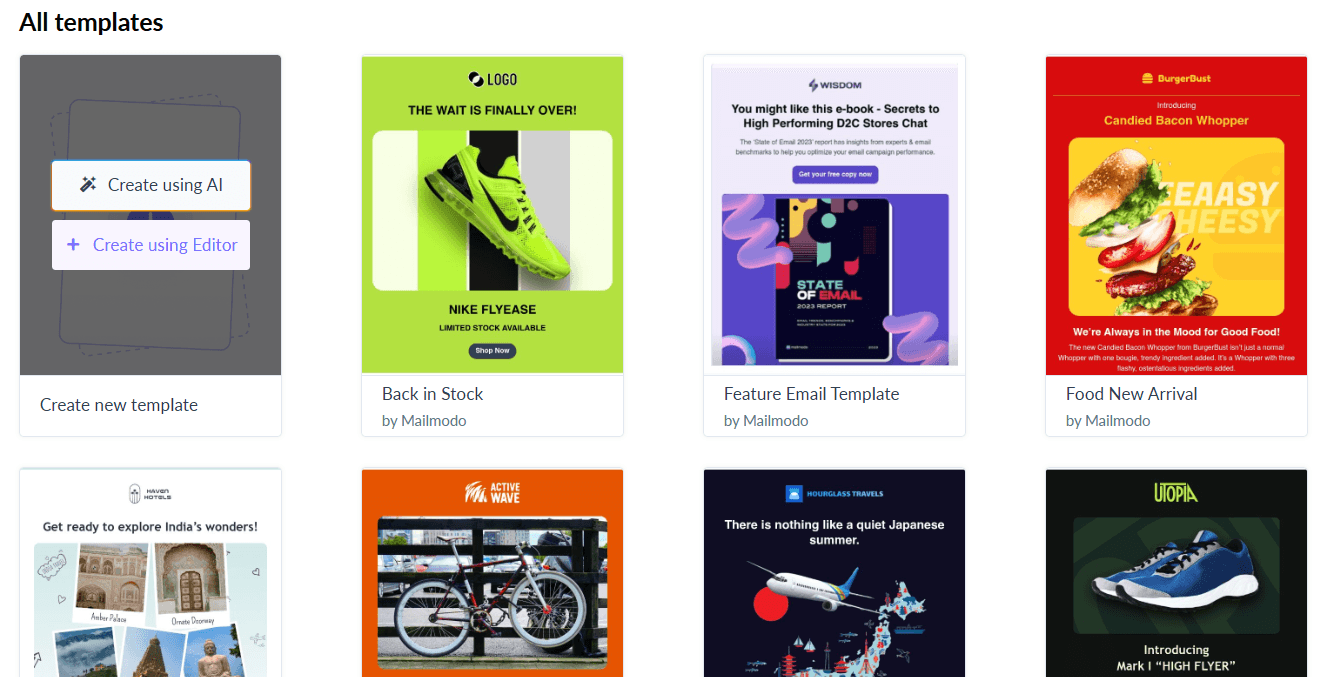
Step 1: Once you’ve logged in to Mailmodo, go to the Templates tab and click on Create new template button on the top right.
Step 2: You’ll land in the template gallery, where you need to hover over the first card that says ‘Create New Template’ and then choose the ‘Create using AI’ option.
https://res.cloudinary.com/mailmodo/image/upload/v1754465683/strapi/On_brand_emails_6_4f689d907c.png
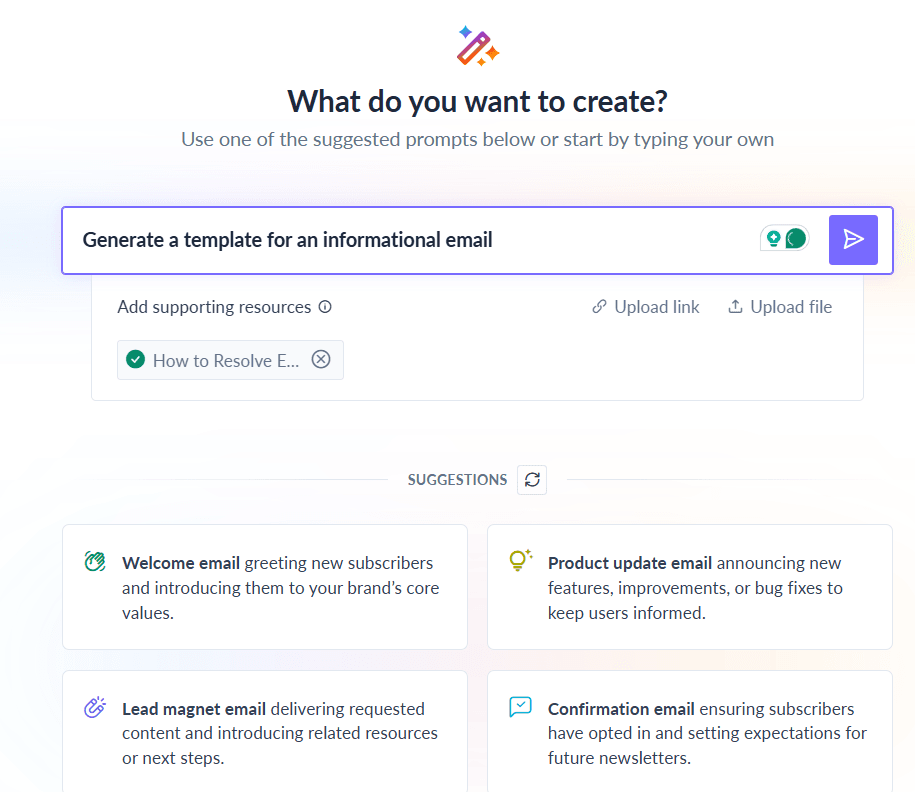
Step 3: On the next page, you can simply define what your email is going to be about and ask the tool to generate the email template for you.
While Mailmodo AI will generate the template for you, it’s going to be a generic email template. This is where we’ll work towards making the email template more aligned with your brand.
If you have, add a reference to any supporting resources you might have for the email template you’re creating. You could do this by adding a link to it or by uploading the resource as a file.
https://res.cloudinary.com/mailmodo/image/upload/v1754465681/strapi/On_brand_emails_5_5c552b460b.png
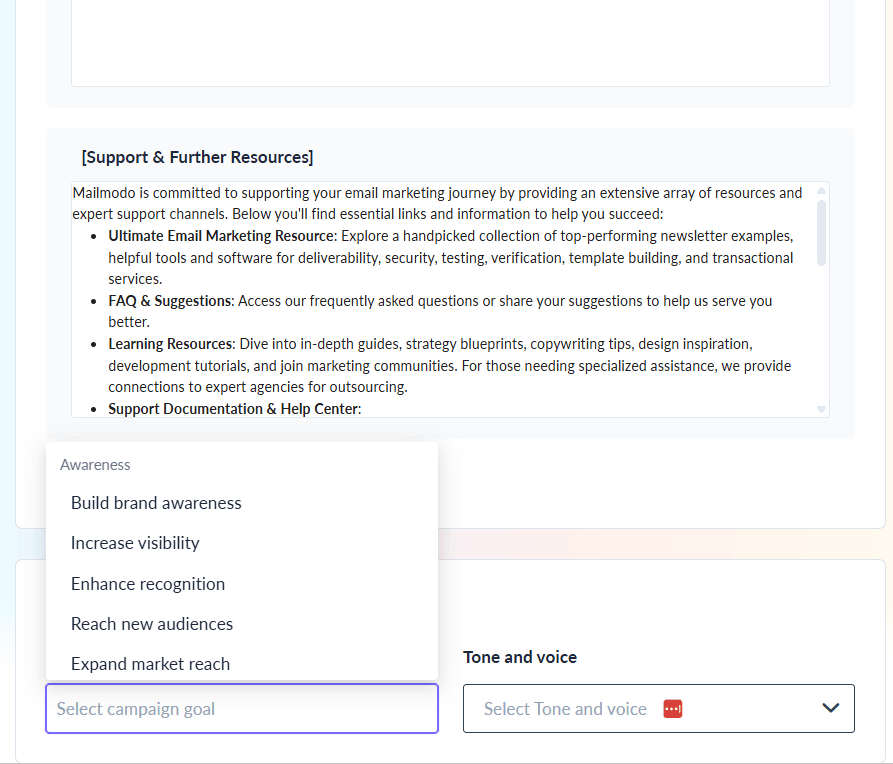
Step 4: Another refinement you can do is in the Refine your email outline & preferences step. Here, you can tweak the content for each section of the email template. You can also add new sections.
Additionally, you can define the purpose and the tone and voice of the email. This makes it more aligned with your overall brand voice. Once done, you can click on the Generate button on the top right.
https://res.cloudinary.com/mailmodo/image/upload/v1754465681/strapi/On_brand_emails_3_4e1adc53e3.png
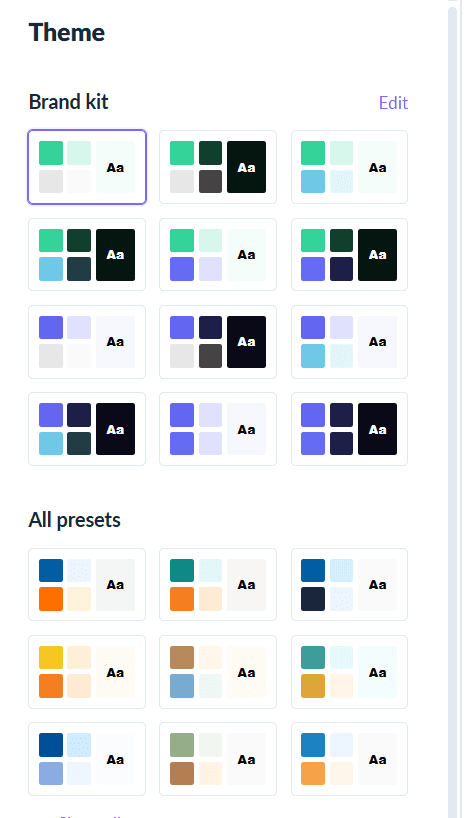
Step 5: Next, you can choose to apply your brand kit or choose from a set of presets available for the colors. This will allow you to tweak the overall appearance of your email and align it with your brand colors.
https://res.cloudinary.com/mailmodo/image/upload/v1754465680/strapi/On_brand_emails_2_b15525320f.png
Here, you can also choose to regenerate the email template before making the tweaks if you don’t like what you got back from the template generator.
Once done, you can move to the next step by clicking on the Open in Editor button on the top right.
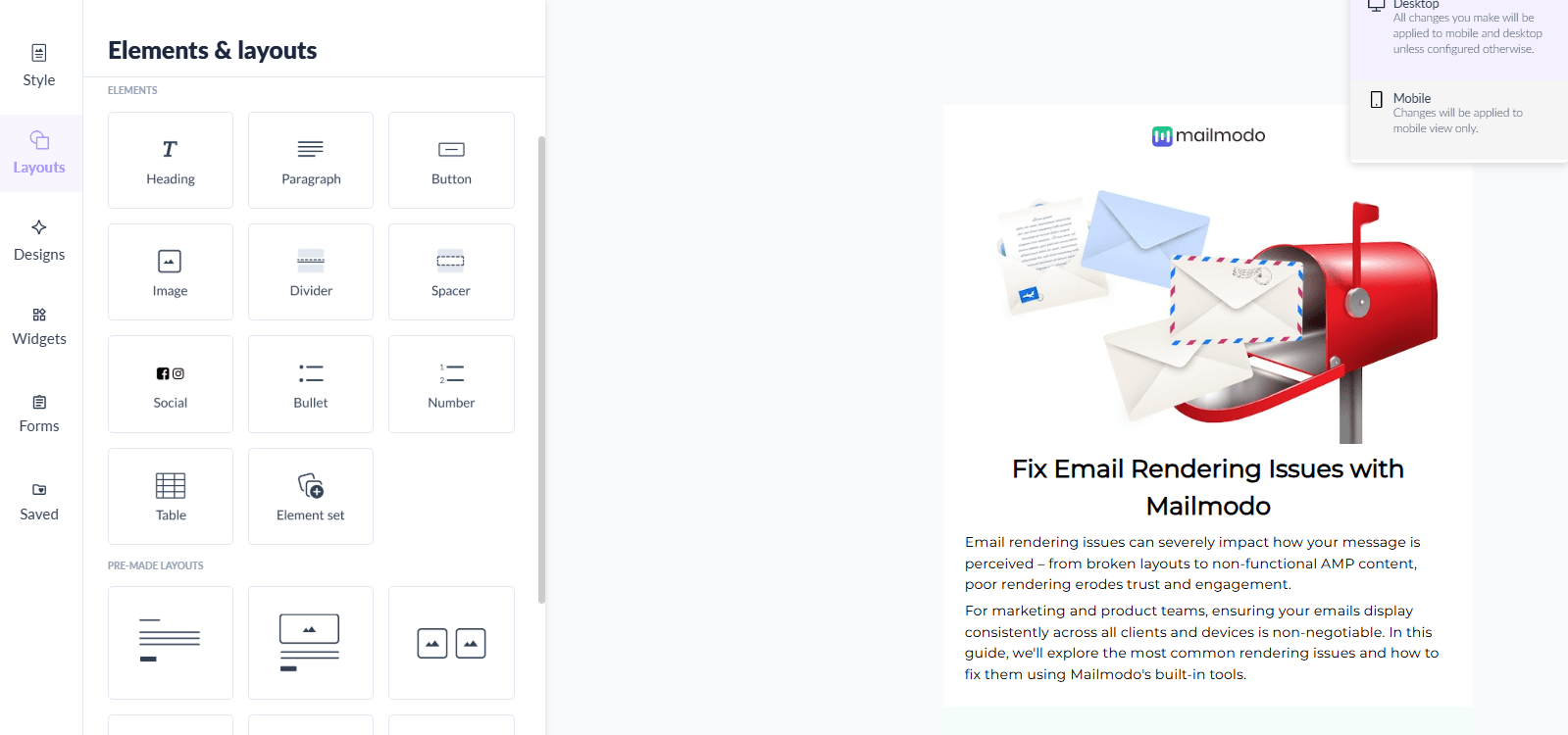
Step 6: Once inside the editor, you can make other more specific changes you want with the copy, images and so on. From here, you can review the email template and send it to your recipients or save it for future email campaigns.
https://res.cloudinary.com/mailmodo/image/upload/v1754465681/strapi/On_brand_emails_1_5324cc1c15.png
Takeaways
AI is no longer just a nice-to-have—it’s a must-have for marketers who want to scale their output without compromising quality. With Mailmodo, you get purpose-built AI email template generator that understands the nuances of email marketing so you can work smarter, not harder.
Ready to create your next email template in minutes? Try Mailmodo’s AI template generator today.